Giving ophthalmologists back the time to focus on their patients.
Too much of an ophthalmologist's day goes to admin instead of patients. Not because the care needs it, but because their software does. QIV is built in Belgium with ophthalmologists to make that admin run itself.
Works with the devices and services your practice already uses
 Connected autorefractor
 Integrated with ZEISS FORUM
 Connected refractor
 Connected auto ref
 Coming soonIntegrated with eHealth, coming soon
 Hosted in the EU
The problem
Doctors and assistants chose this work to care for patients.
Yet too much of their day goes to writing up consultations, (re)scheduling appointments and counting stock.
QIV gives that time back.
Why QIV
Not another EPD, but one system for the whole practice.
Practices today choose between eye-care software built decades ago and modern software built for every specialty at once. QIV is both modern and made for ophthalmology, with the whole practice in one system.

- Built for
- Traditional eye-care EPD
Ophthalmology, on technology from another era.
- General practice software
Every specialty, so eye care gets the general version.
- QIV
Ophthalmology, built today together with the doctors who use it.
- Where it runs
- Traditional eye-care EPD
On a server in the practice, updated by hand.
- General practice software
Installed or hosted, with eye care added as extra modules.
- QIV
In the browser, hosted in the EU, updated for every practice at once.
- Device measurements
- Traditional eye-care EPD
Some device links, often built one device at a time.
- General practice software
Readings typed over or attached as files.
- QIV
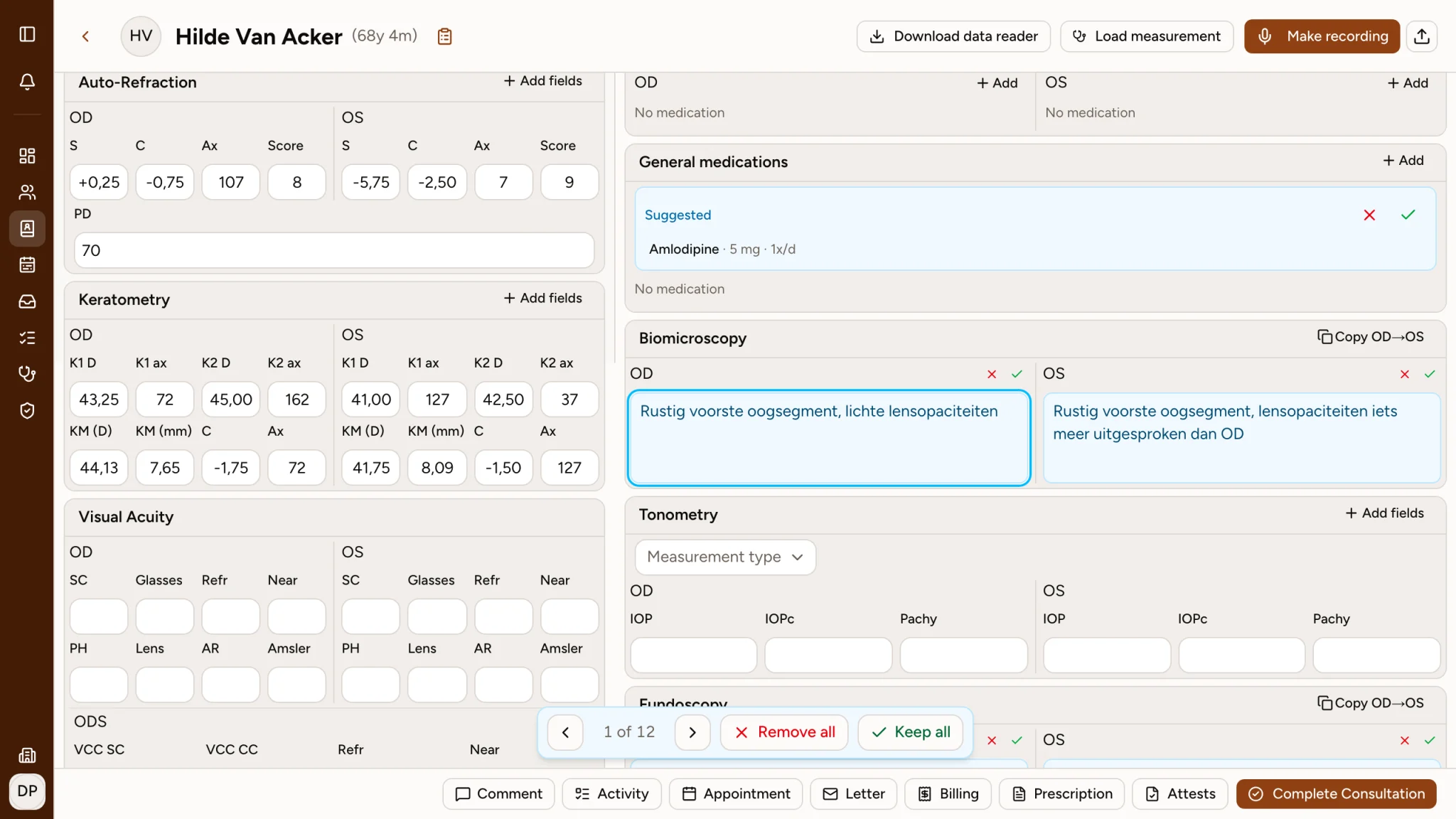
Readings flow from the device straight into the consultation.
- What it covers
- Traditional eye-care EPD
The record and billing. Agenda, stock and surgery live in other tools.
- General practice software
Agenda and billing for every specialty, without the eye-care detail.
- QIV
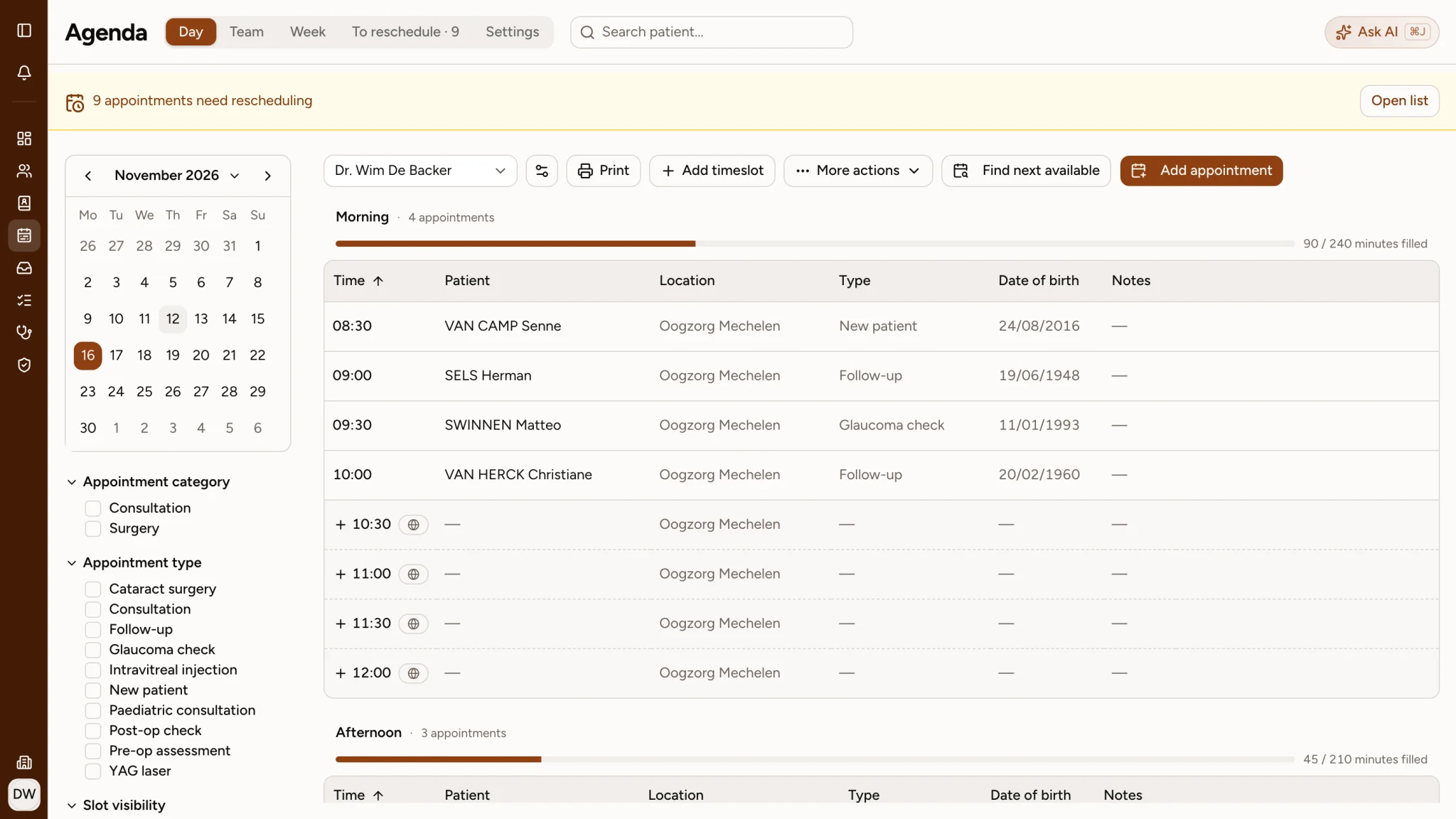
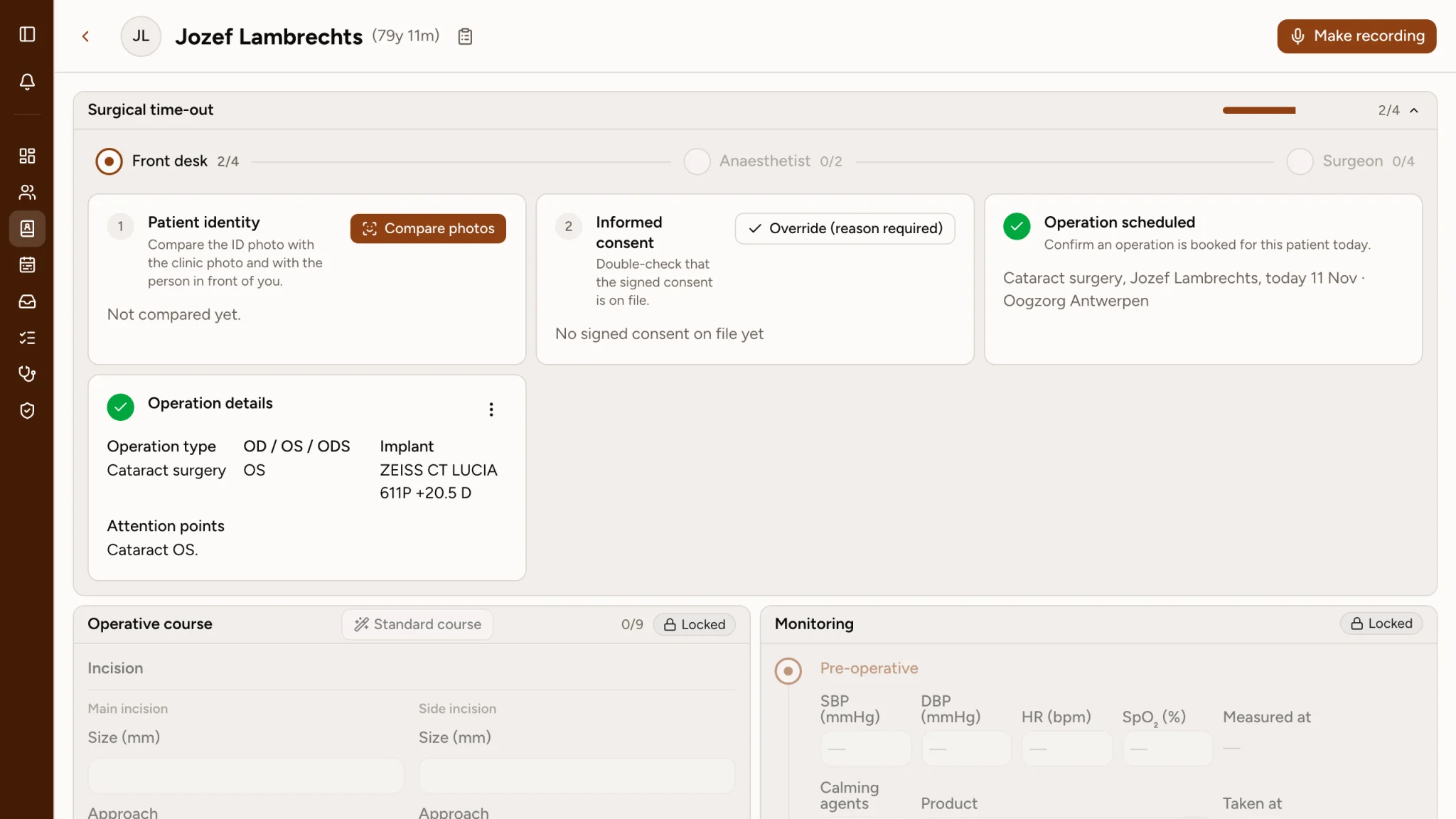
Agenda, waiting room, consultation, devices, eHealth and billing in one system.
- Patients
- Traditional eye-care EPD
Call the practice to book or move an appointment.
- General practice software
Book online through a portal shared by many specialties.
- QIV
Book on the practice’s own page, move or cancel from a link and get reminders.
- Ready for AI
- Traditional eye-care EPD
Free-text notes that software cannot read.
- General practice software
Generic forms with few eye-care fields.
- QIV
Structured eye-care data in every record, so AI can take real work off your hands.
01 · Patient records
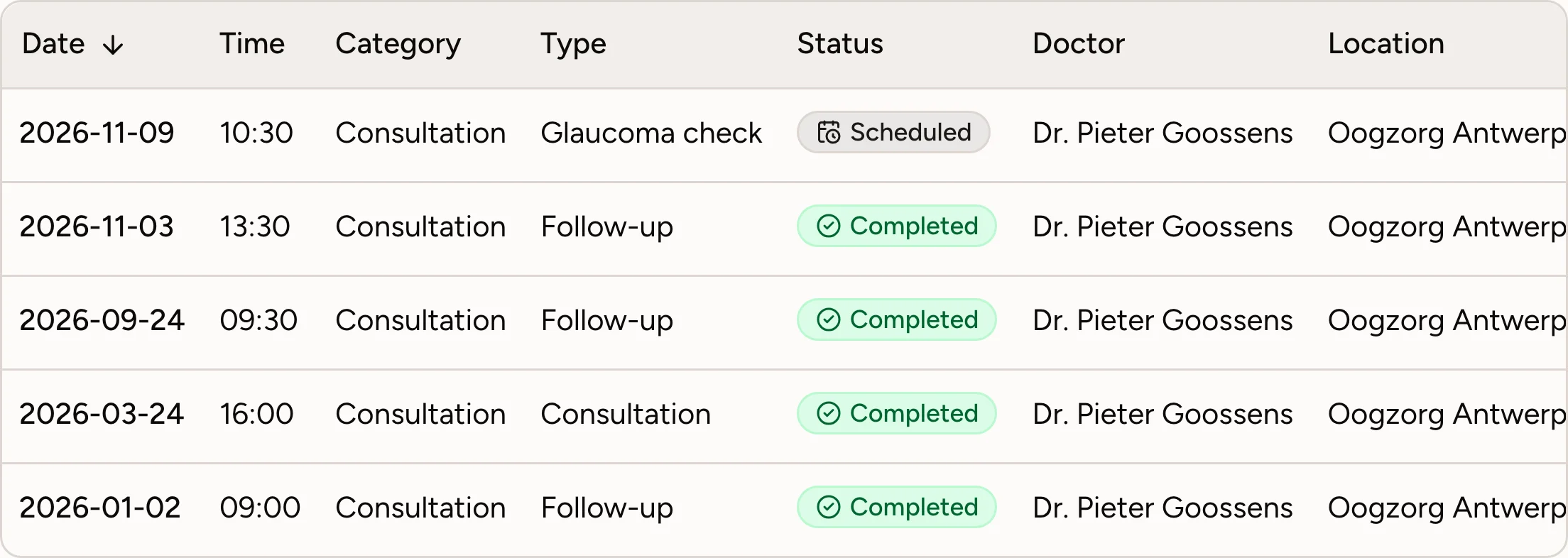
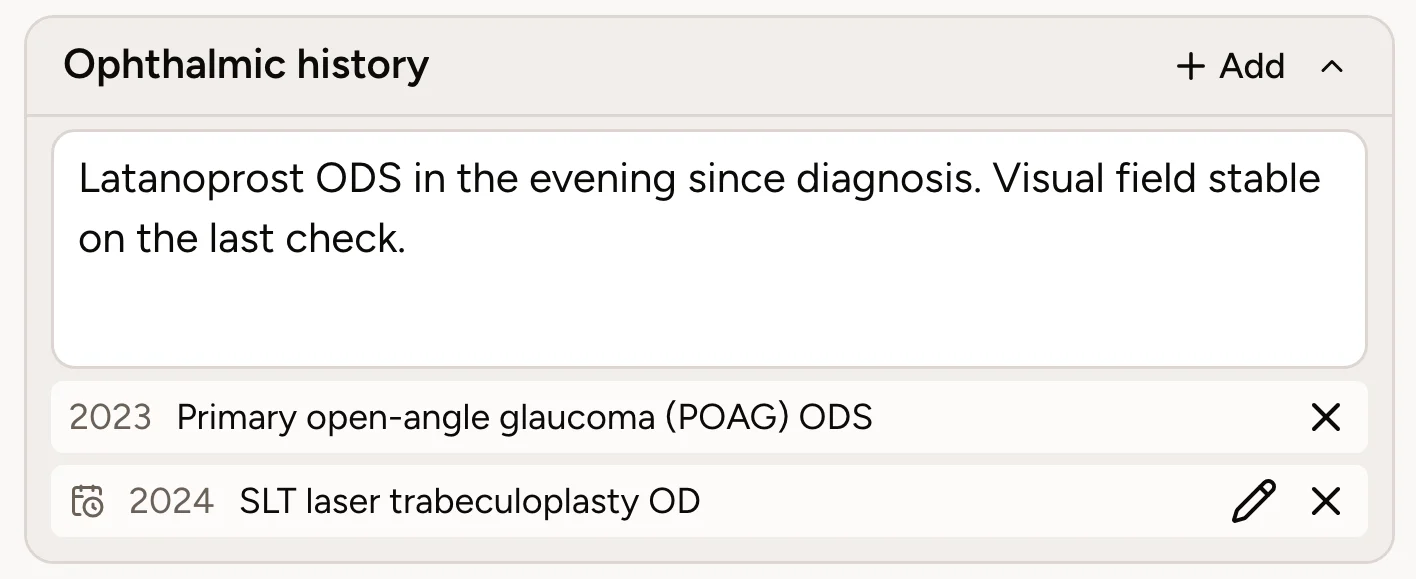
Every patient event, in one structured record.
Appointments, diagnoses, past operations and the rest of the ophthalmic history sit together on one record, stored as structured data instead of loose notes. Every consultation opens with the full picture.
- Every appointment with its type, status and doctor
- Diagnoses and events dated, per eye
- Operations filed on the record after surgery
- Free-text history next to the structured entries
02 · AI assistant
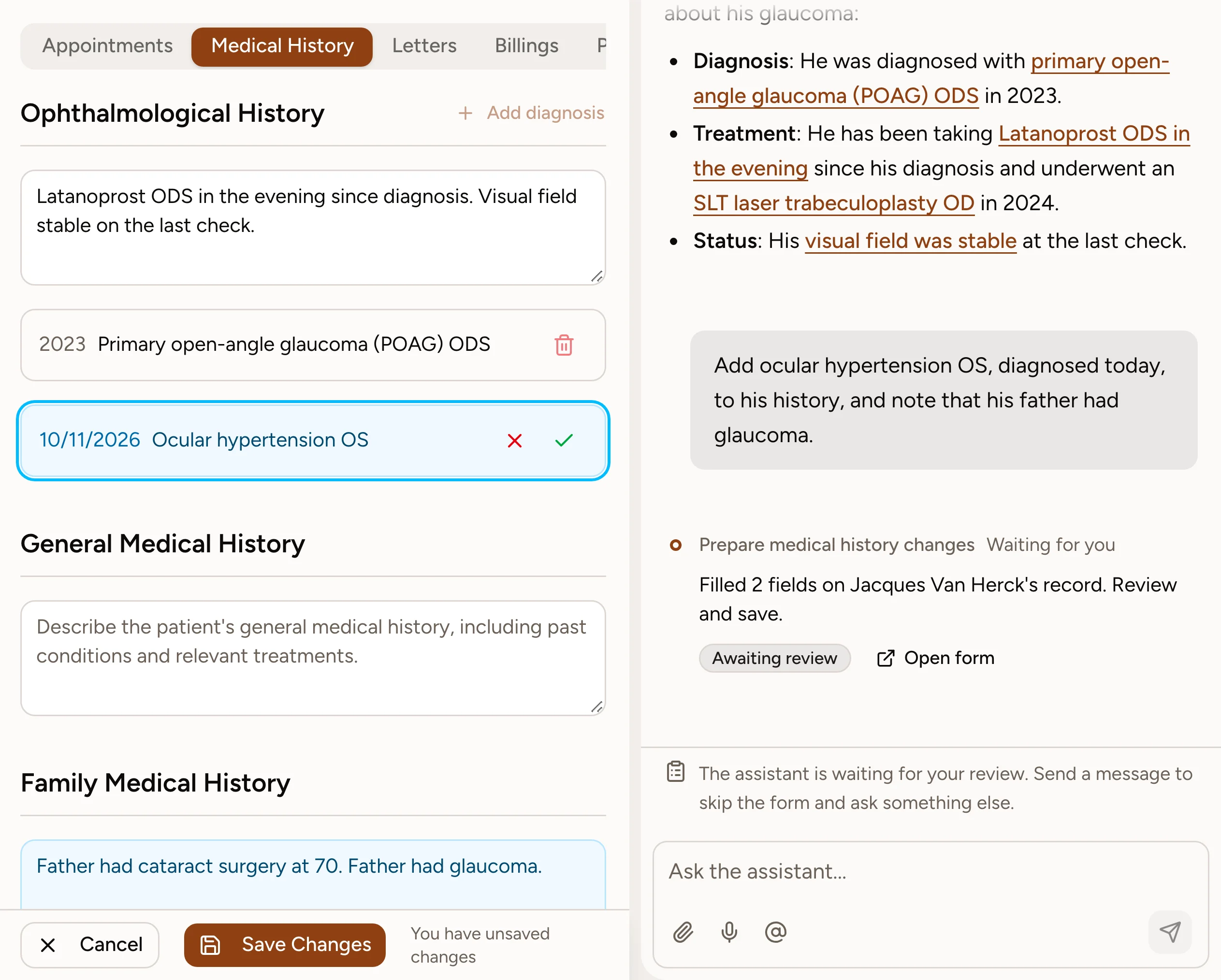
Ask, and get the answer from your own records.
The assistant reads your agenda, waiting room and patient records and answers in your own language. It asks before it reads, and it never changes a record without your approval.
- Questions about your agenda, patients and waiting room
- Answers link back to the record they came from
- Asks your approval before it reads or saves
- Type or dictate, in your own language
03 · Check-in kiosk
Patients check in on their own.
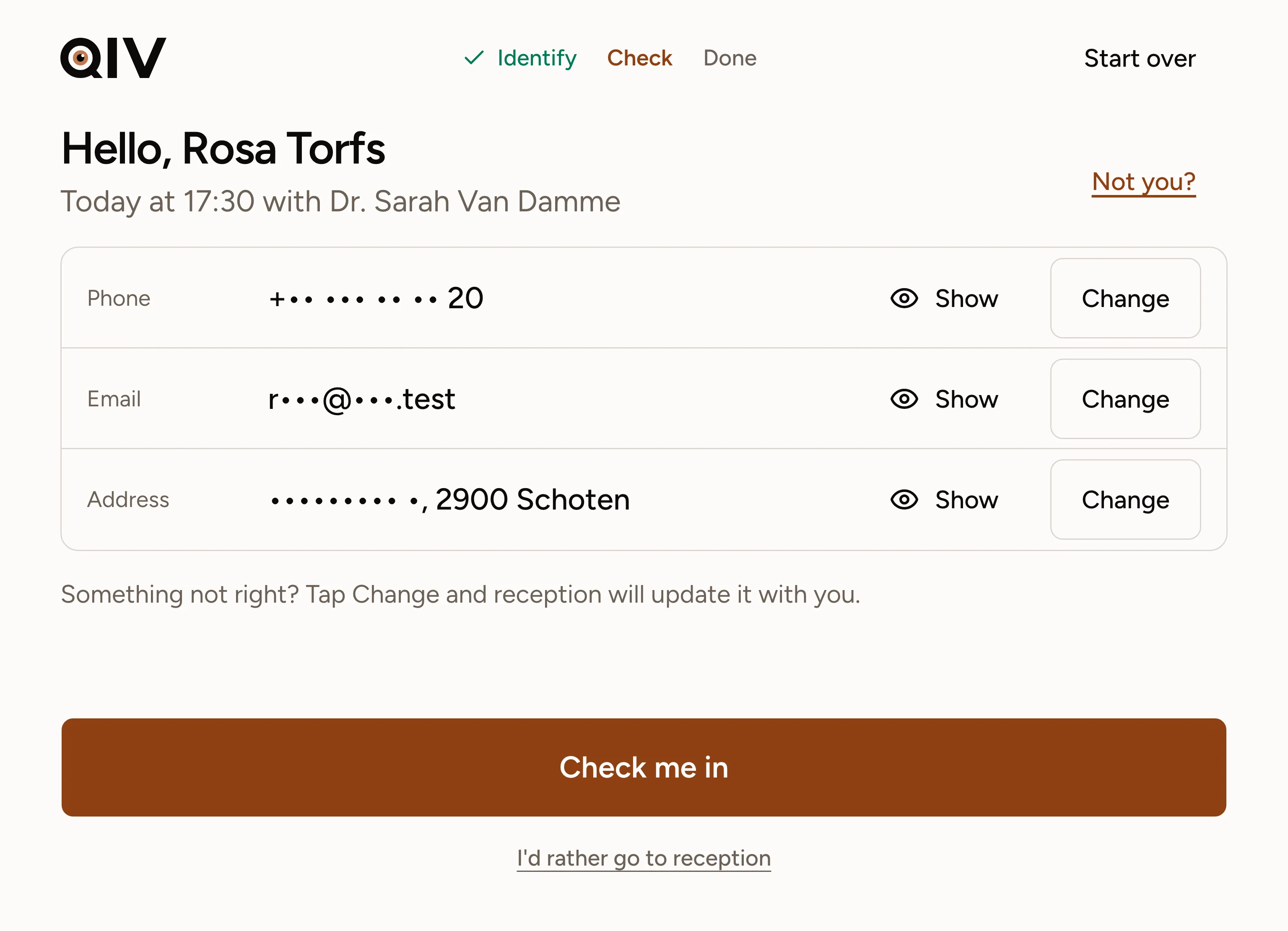
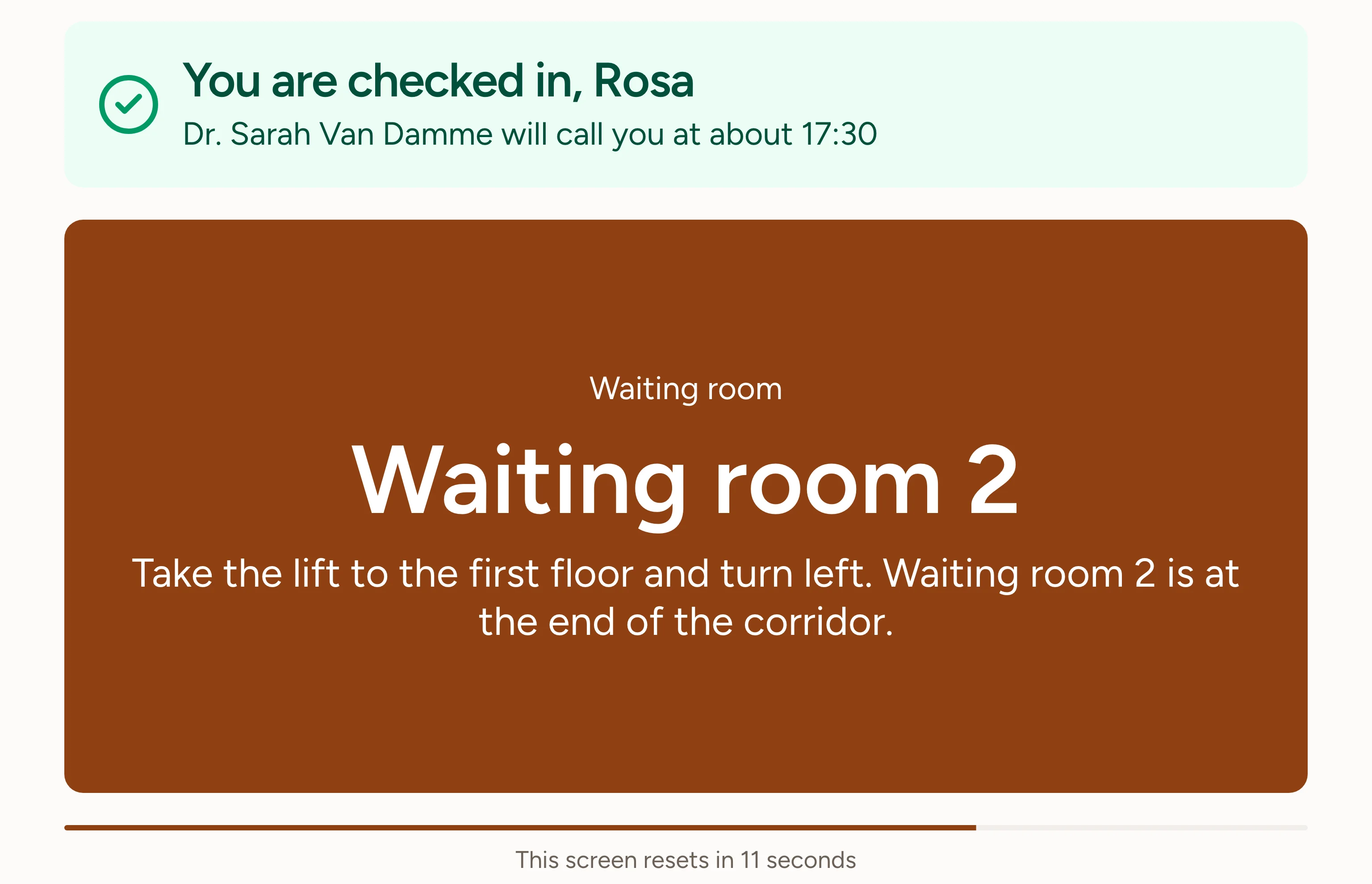
At the kiosk the patient inserts their eID, scans the QR code from their confirmation or types their name and date of birth. They check their details, check in and are sent straight to the right waiting room.
- Check in with eID, QR code or name and date of birth
- Contact details confirmed by the patient at every visit
- Directions to the waiting room, in the patient’s language
- Reception sees the arrival on the waiting room board
04 · Stock
Every item traced from delivery to use.
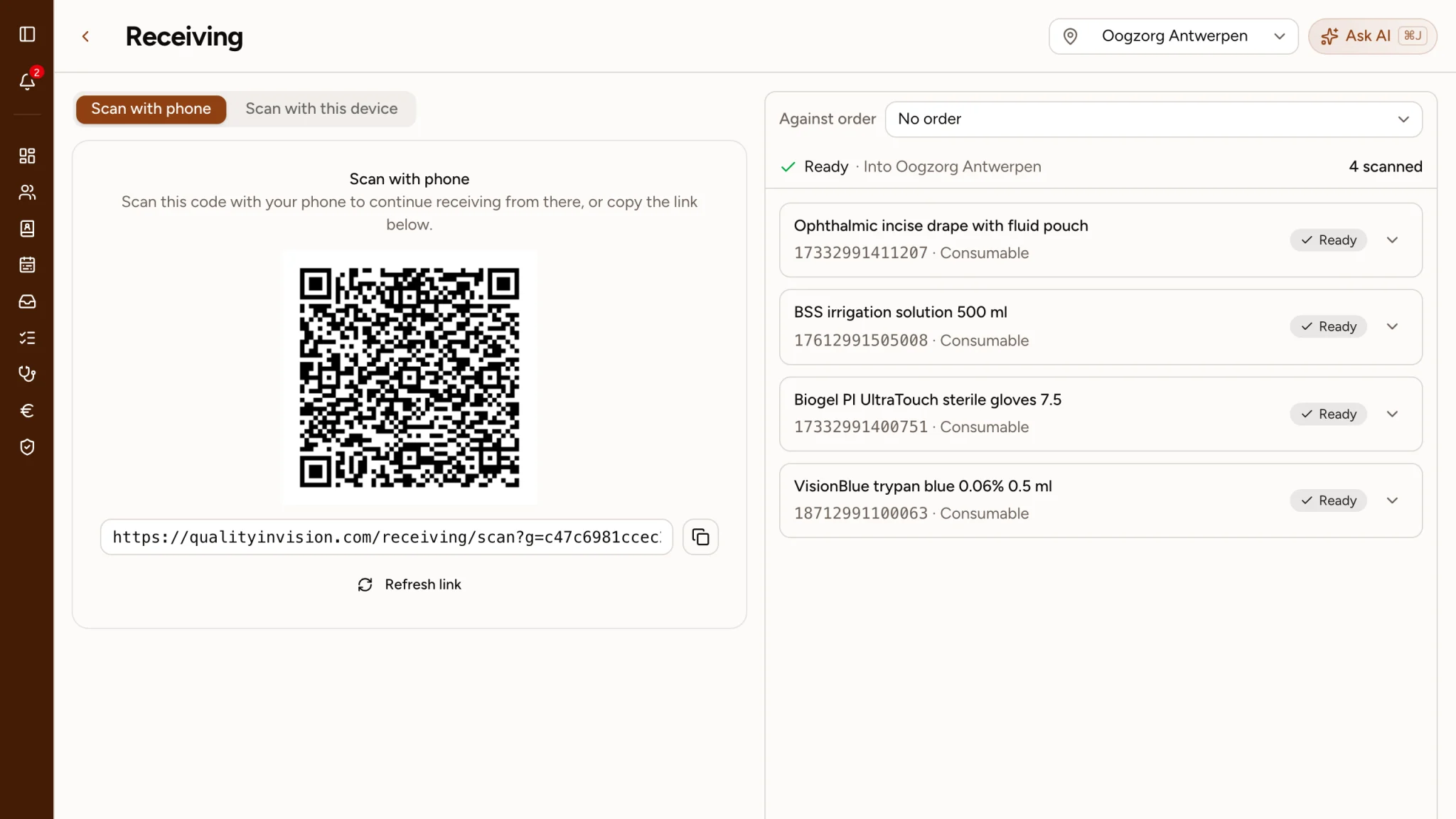
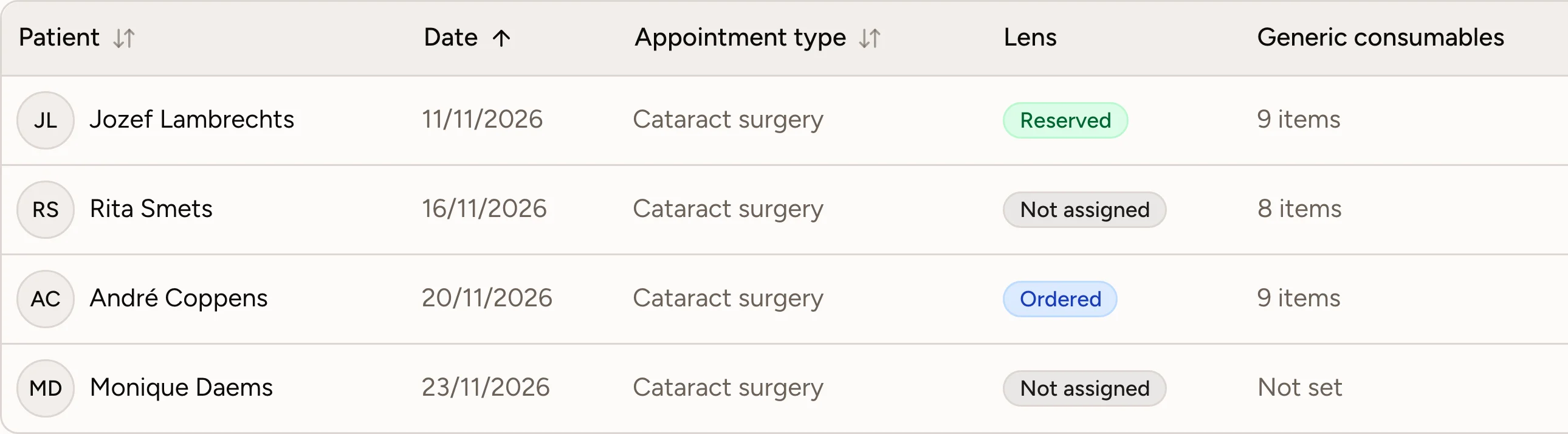
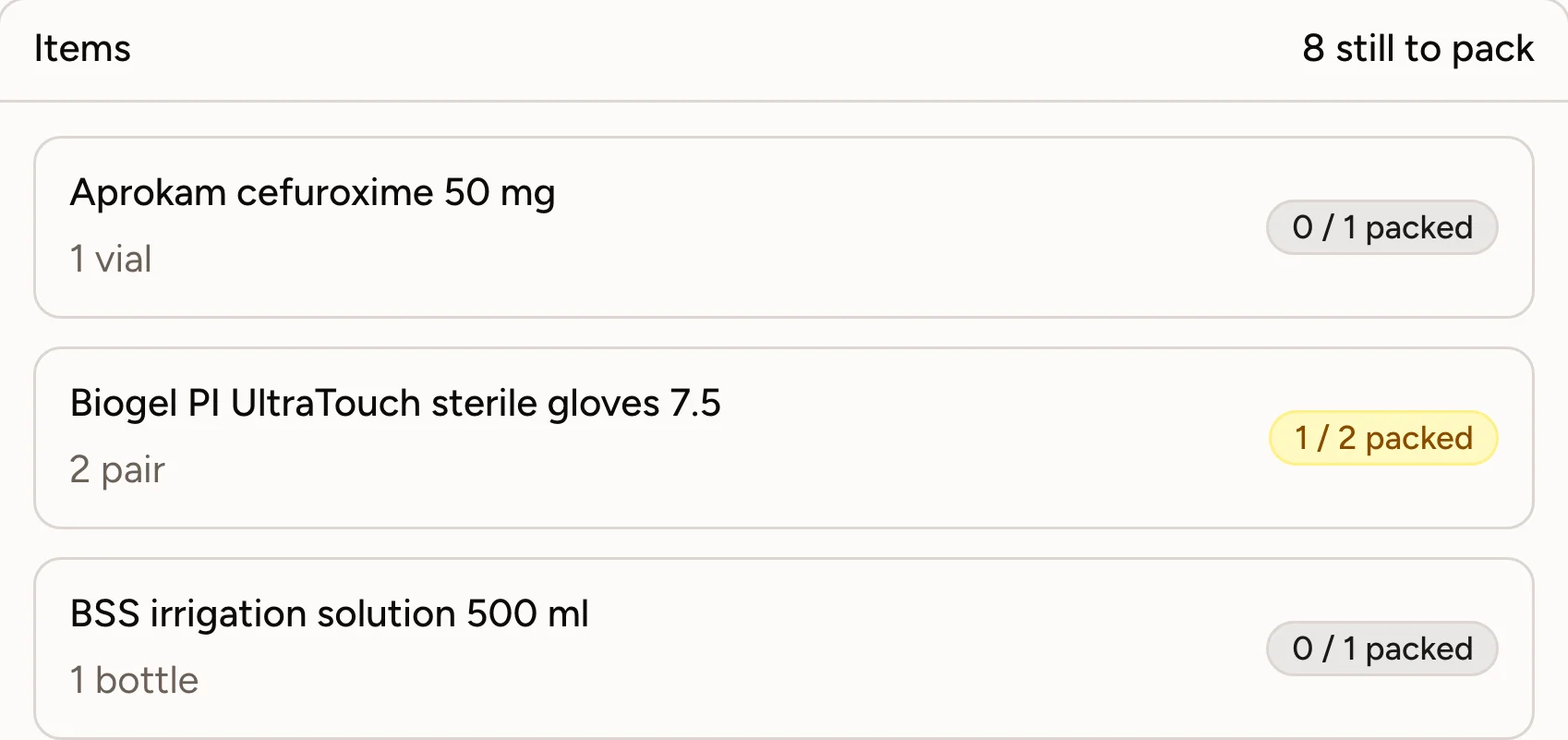
Deliveries are scanned in when they arrive, so lot numbers and expiry dates are recorded without typing. From there QIV follows every lens, medication and consumable through stock to the consultation or surgery where it was used.
- Deliveries scanned in, lot and expiry read from the label
- Stock and expiry dates kept current by every scan
- Surgery boxes packed by scanning, with a phone or at the desk
- What was used is recorded on the patient, by lot
01 · Patient records
Every patient event, in one structured record.
Appointments, diagnoses, past operations and the rest of the ophthalmic history sit together on one record, stored as structured data instead of loose notes. Every consultation opens with the full picture.
- Every appointment with its type, status and doctor
- Diagnoses and events dated, per eye
- Operations filed on the record after surgery
- Free-text history next to the structured entries
02 · AI assistant
Ask, and get the answer from your own records.
The assistant reads your agenda, waiting room and patient records and answers in your own language. It asks before it reads, and it never changes a record without your approval.
- Questions about your agenda, patients and waiting room
- Answers link back to the record they came from
- Asks your approval before it reads or saves
- Type or dictate, in your own language
03 · Check-in kiosk
Patients check in on their own.
At the kiosk the patient inserts their eID, scans the QR code from their confirmation or types their name and date of birth. They check their details, check in and are sent straight to the right waiting room.
- Check in with eID, QR code or name and date of birth
- Contact details confirmed by the patient at every visit
- Directions to the waiting room, in the patient’s language
- Reception sees the arrival on the waiting room board
04 · Stock
Every item traced from delivery to use.
Deliveries are scanned in when they arrive, so lot numbers and expiry dates are recorded without typing. From there QIV follows every lens, medication and consumable through stock to the consultation or surgery where it was used.
- Deliveries scanned in, lot and expiry read from the label
- Stock and expiry dates kept current by every scan
- Surgery boxes packed by scanning, with a phone or at the desk
- What was used is recorded on the patient, by lot
Security
Medical data, handled with care.
QIV meets the GDPR and is built and run under Panenco's ISO 27001 certification. Patient data stays in the EU, encrypted in transit and at rest, and the link with the Belgian eHealth platform is on its way.
- GDPR compliant
- ISO27001ISO 27001 certified
- EU-hosted
- Encrypted
- Coming sooneHealth connected
Onboarding
You are live in about four weeks.
Migration is the part practices fear, so it is the part we run ourselves. You review, we do the work.
- 01
Week one
We take an export from your current system and map it: patients, appointments, history, documents. Your team keeps working exactly as it does today.
- 02
Weeks two and three
Your data is loaded into a dedicated migration environment and checked against the original. We sit with your front desk and your doctors on the parts only they can answer.
- 03
Week four
You review the migration and sign it off. We take a final export, cut over between clinic days, and the practice opens on QIV.
Questions
The ones practices ask first.

See it on your own practice.
Half an hour, your schedule and your workflows on screen. We will tell you honestly if QIV is not the right fit.